Mobile AI Coding Consoles Compared: RemoDeck vs Happy vs SSH/tmux
Developers controlling local AI coding agents from their phones usually choose between SSH + tmux, single-agent mobile wrappers like Happy, or a multi-agent hub like RemoDeck.
Common Pain Points
- Single-Agent Lock-in: Switching daily between Claude Code, Codex, and Antigravity breaks single-tool setups.
- Poor Mobile Diff & Approval UX: Raw terminal panes make reviewing edits and tapping approvals painful on phones.
- No Unified Desktop Overview: Mobile-only wrappers still leave a dozen cluttered terminal windows on your desktop.
How It Works
- Choose Tailscale + SSH + tmux if you live in raw terminal shortcuts and only need minimal text access.
- Choose single-agent wrappers (e.g., Happy) if you strictly stay inside one agent ecosystem.
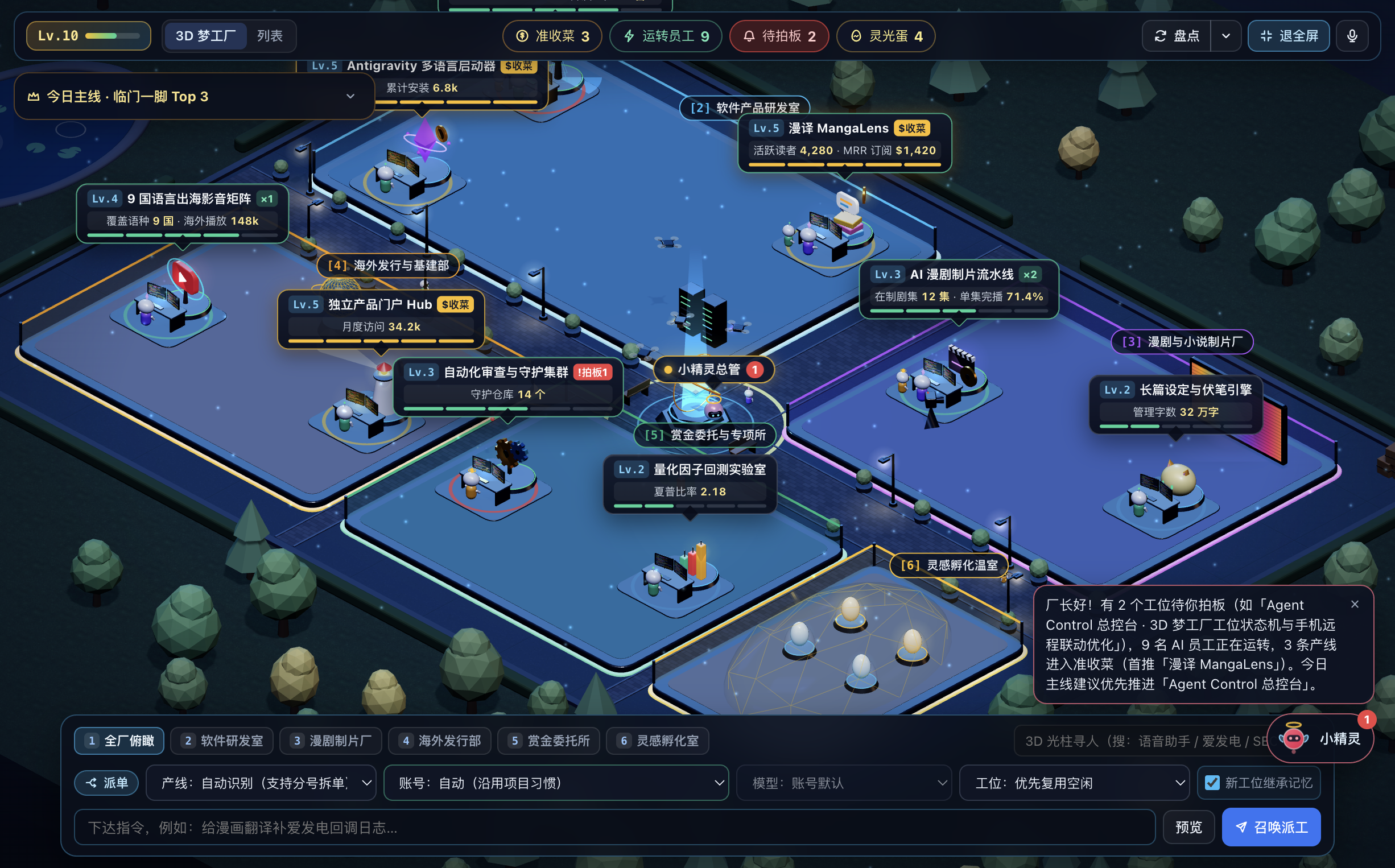
- Choose RemoDeck (MIT) if you run Codex, Claude Code, Antigravity, Grok, and Qoder together and want read-only indexing, desktop + 3D workstation overview, mobile QR approvals, and $0 tunnels.
One-Line Install (MIT Open Source)
macOS / Linux:
curl -fsSL https://hub.guuguo.top/install/agent-control.sh | bashWindows PowerShell:
(irm https://hub.guuguo.top/install/agent-control.ps1).TrimStart([char]0xFEFF) | iexFAQ
Is RemoDeck free and open source?
Yes—100% MIT licensed at github.com/guuguo/remodeck with zero mandatory paid cloud.
Are RemoDeck and Agent Control the same project?
Yes. Agent Control was renamed to RemoDeck; legacy install scripts and links continue to redirect cleanly.