Control Claude Code From Your Phone — Approve & Queue Tasks
Long Claude Code runs often stall the moment a permission prompt pops up while you're away from your desk. RemoDeck (formerly Agent Control) turns your phone browser into a clean remote console—no painful mobile SSH or tmux juggling.
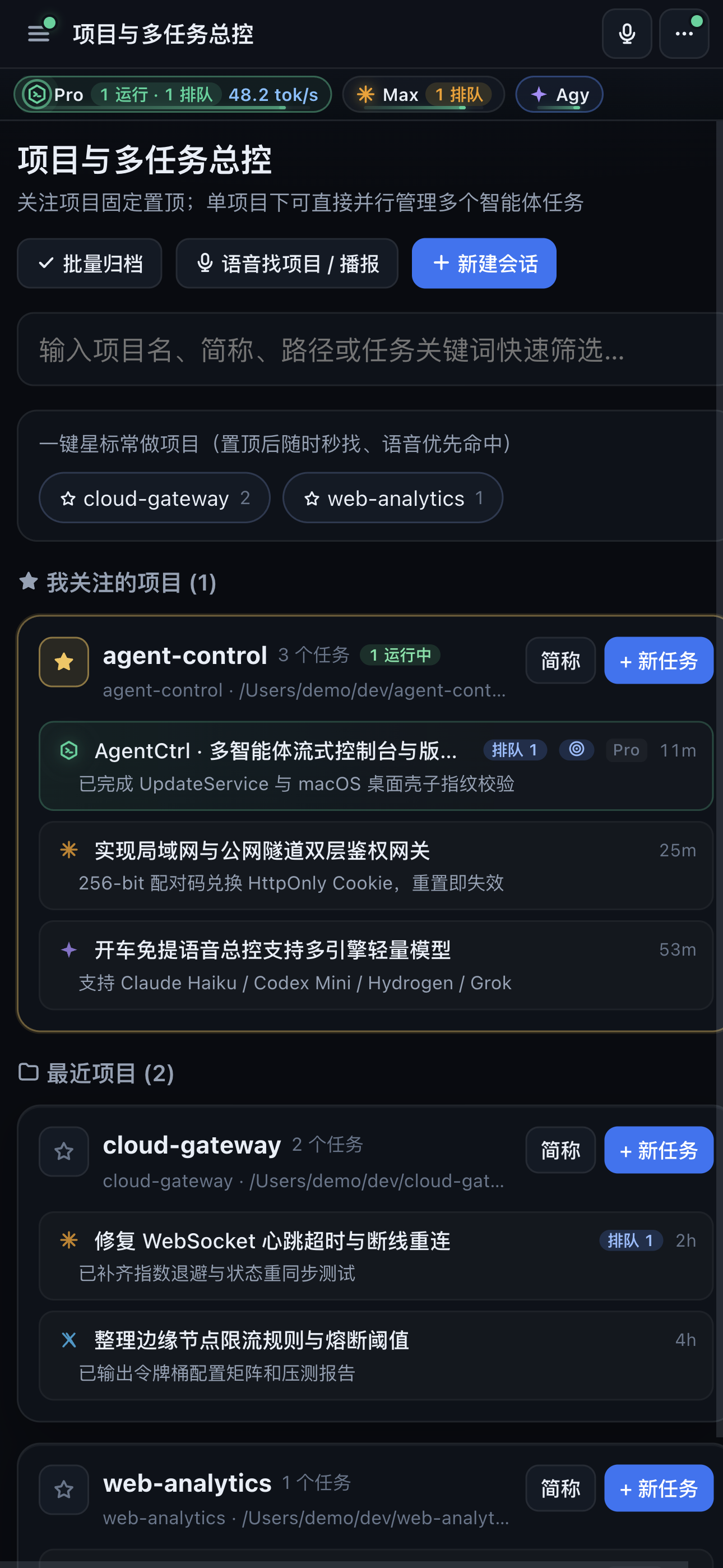
Common Pain Points
- Blocked on Approvals: One pending shell or file approval pauses an overnight or commute run for hours.
- Mobile SSH Friction: Raw terminal scrolling, broken wrapping, and tmux keystrokes hurt on small screens.
- Privacy Concerns: Many hosted wrappers relay your source prompts through third-party cloud servers.
How It Works
- Run the one-line installer on your desktop to launch RemoDeck locally (
127.0.0.1:43310). - RemoDeck indexes your local
~/.claudehistories in strict read-only mode. - Toggle built-in
$0Cloudflare Quick Tunnel or Tailscale Funnel and scan the QR code on your phone. - Read clean diffs, tap Approve/Reject on permission prompts, and queue follow-up prompts while the agent works.
One-Line Install (MIT Open Source)
macOS / Linux:
curl -fsSL https://hub.guuguo.top/install/agent-control.sh | bashWindows PowerShell:
(irm https://hub.guuguo.top/install/agent-control.ps1).TrimStart([char]0xFEFF) | iexFAQ
Does RemoDeck modify ~/.claude databases?
No. Upstream agent histories are read-only; custom titles, tags, and archives live in RemoDeck's own local folder.
Do I have to pay for a cloud relay?
No. Cloudflare Quick Tunnel and Tailscale Funnel work at $0 out of the box, with optional self-hosted Docker/Sealos relay scripts.