Beyond UI Menus: Localizing AI Thinking & Replies in Antigravity
In an agent-first IDE, translating buttons is only half the story—most reading happens inside AI plans, reasoning summaries, and code explanations. The launcher pairs UI translation with matching global prompt rules out of the box.
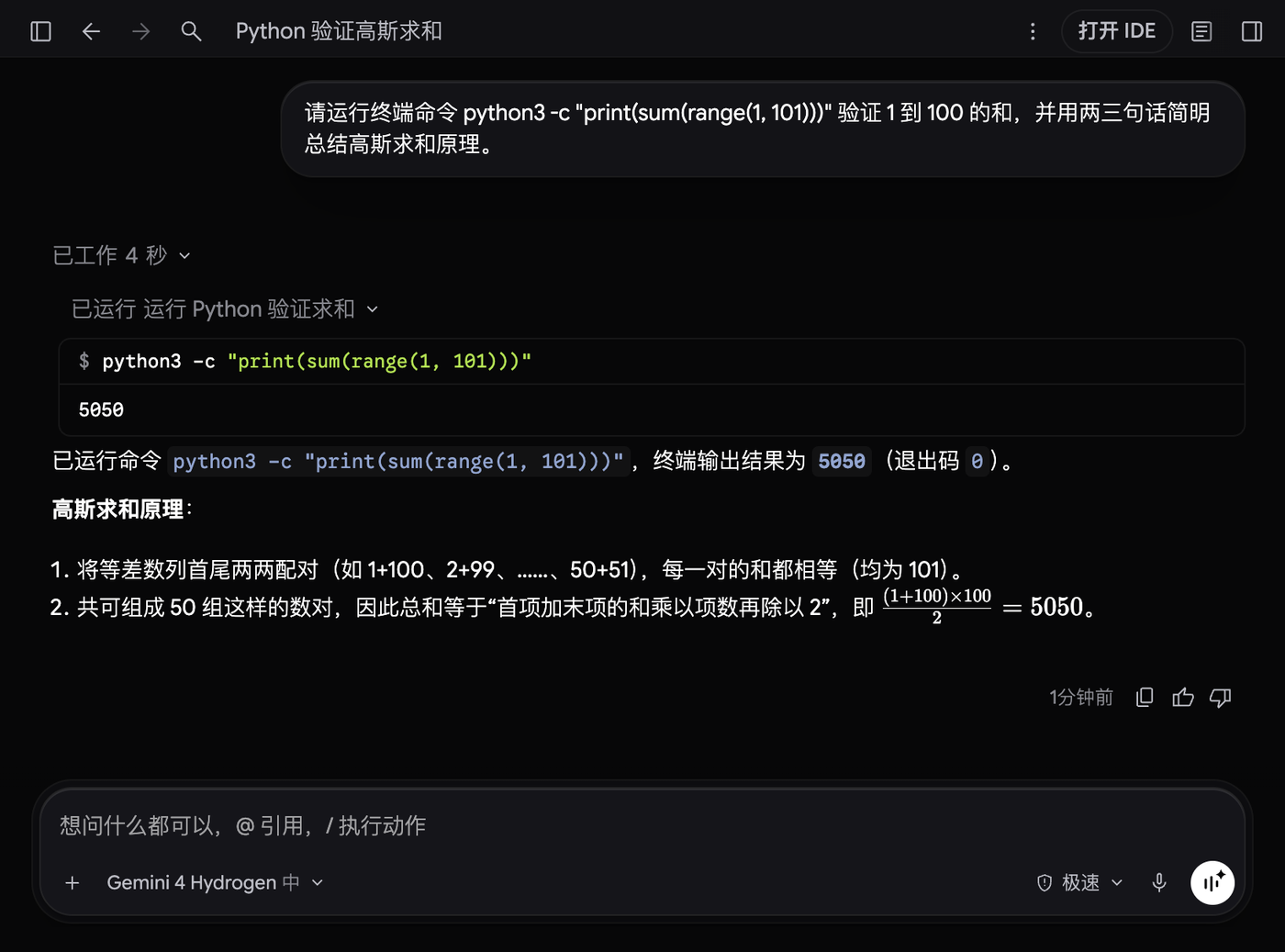
UI Menus + AI Output Working Together
- Interface Menus: Loaded cleanly through a separate launcher icon without touching the stock bundle.
- AI Thinking & Answers: Installs global prompt rules for your chosen locale so you never have to repeat 'reply in Japanese/Korean/Chinese' every session.
- Code & CLI Fidelity: Symbols, file paths, and command output stay intact while explanations stay in your native language.
9 Supported Locales Out of the Box
zh-CN,zh-TW,ja,ko,es,fr,de,ru, andpt-BR.- Keep the original English launcher untouched whenever you want to compare stock behavior.
One-Line Commands
macOS / Linux (e.g. Korean):
curl -fsSL https://hub.guuguo.top/install/antigravity.sh | bash -s -- --lang koUninstall a single locale:
curl -fsSL https://hub.guuguo.top/uninstall/antigravity.sh | bash -s -- --lang koFAQ
Does it overwrite my repo's AGENTS.md or custom instructions?
No. Your repository instructions remain untouched; locale rules are isolated and cleanly removable.
Which languages support AI output localization?
All 9 supported locales (zh-CN, zh-TW, ja, ko, es, fr, de, ru, pt-BR) include matching prompt rules.