Best macOS System & Memory Monitors Compared (2026)
macOS has plenty of system monitors, ranging from menu-bar widgets to heavy suites. Choose based on whether you want menu-bar customization or a fast, focused screen to diagnose RAM pressure and AI/Node process bloat.
Common Pain Points
- Stock Activity Monitor: Thorough raw tables, but lacks a single-screen health overview and grouped app footprint insights.
- iStat Menus: Best-in-class menu bar customization, paid license, not tailored for AI/MCP process attribution.
- Stats: Great open-source menu bar sensors, less focused on full-screen memory breakdown and cleanup guidance.
How It Works
- Choose iStat Menus or Stats if your priority is dense menu-bar micro-graphs.
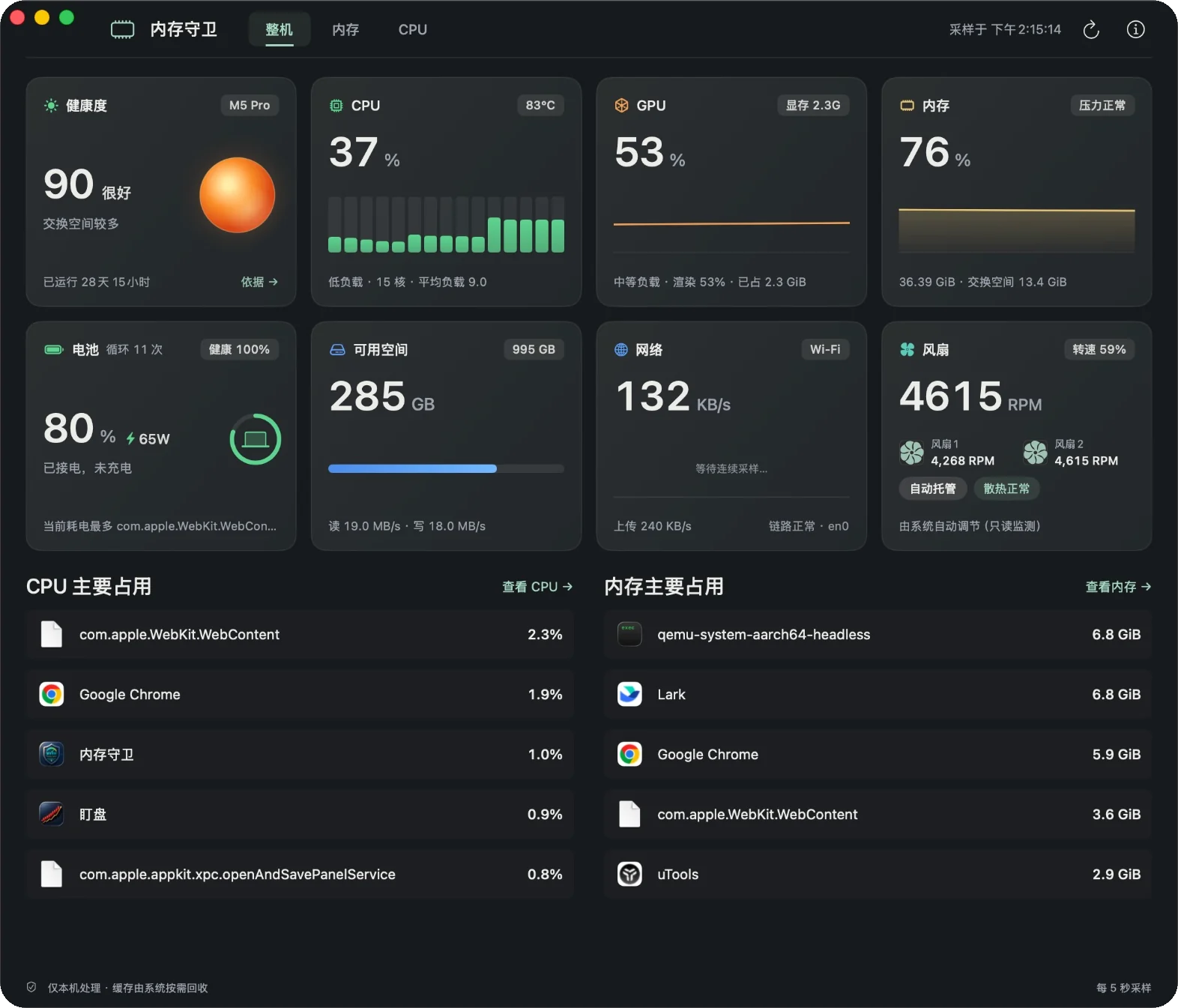
- Choose MemoryGuardian (OSS SwiftUI) if you want a clean single-screen overview of health, CPU/GPU, RAM/swap, and per-app footprint attribution for AI dev machines.
FAQ
Is MemoryGuardian free and open source?
Yes—free, open source on GitHub, and 100% local with zero telemetry.
Does it bundle aggressive 'RAM booster' cleaners?
No. It gives transparent attribution and safe recommendations without blindly purging healthy macOS caches.